What should you watch for around spikes and lasers in Keep It Up!?
Compare official Keep It Up! spike and laser scenes, inspect route landmarks, and separate visual observations from unverified hazard timings and collision rules.
What do the official spike scenes show?
The promotional images show spikes covering floors and walls, with green platforms between them. This is enough to identify a spike-heavy scene. It is not enough to decide which collisions consume lives or whether a pictured platform is a checkpoint.
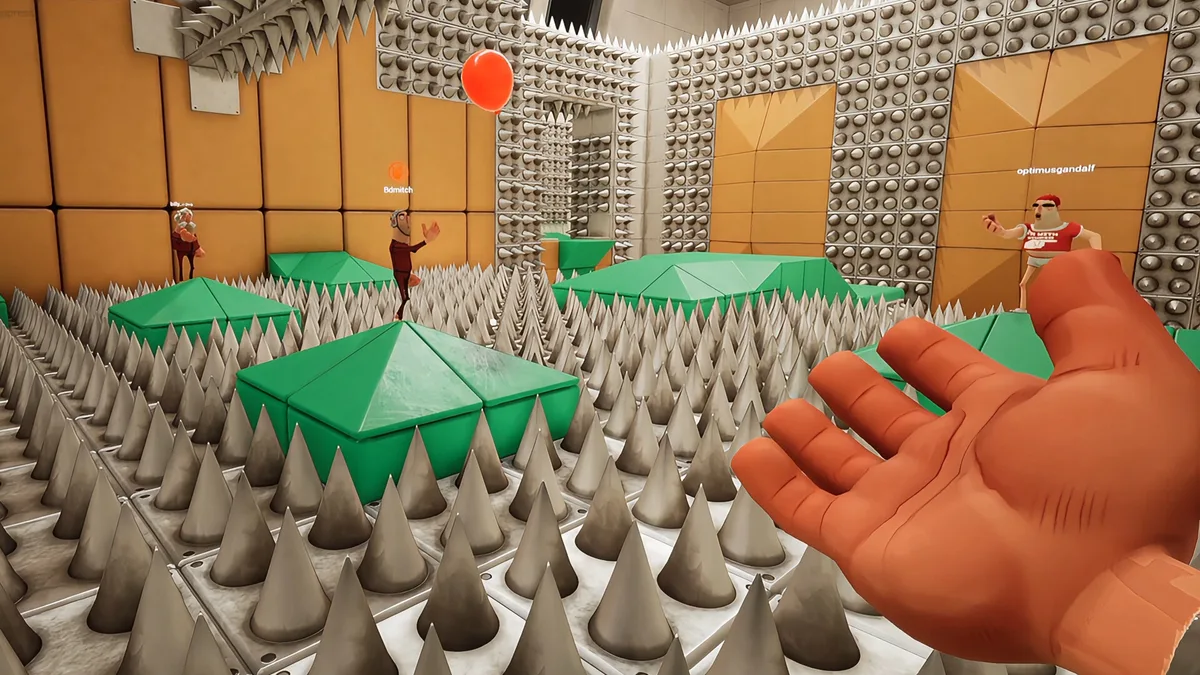
Use the marked spike scene to compare the image with the room on your screen.
What do the laser scenes show?
Bright laser bars cross a corridor near a balloon and teammate. A still image does not tell you whether the barrier is static, timed, toggled or changed in the current demo.
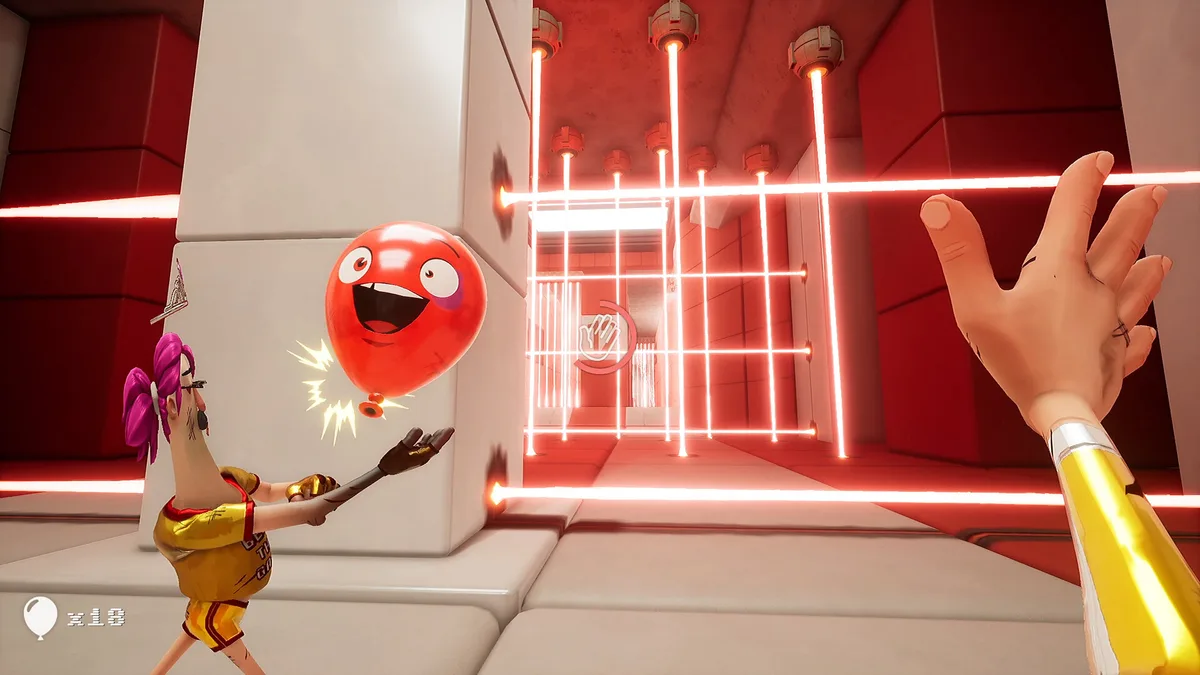
Open the marked laser scene for the visual reference.
How can you plan a safer team attempt?
As a planning suggestion, identify the next landing surface and the next balloon receiver before the group moves. Keep one person watching the balloon while another observes the barrier. Recheck the room after a failure instead of assuming the image proves a fixed sequence.
Show the observation checklist
Find the obstacle, find the next possible landing, agree who takes the balloon, and observe any moving state in-game. No specific safe position or timing interval is claimed here.
Can you use this as a complete walkthrough?
This is a hazard reference, not a tested room solution. It does not establish room numbering, a no-death route, invulnerability windows or a speedrun skip. The demo guide explains the scope of announced rooms.
Review balloon rules, compare fan obstacles or set up calls with the co-op guide.
Where are the images from?
The official Steam store page, checked 22 October 2026. Screenshot rights belong to their respective game owners; the scene labels are descriptive wiki labels.
Related Articles
guides
How do you download the Keep It Up! demo?
Download the Keep It Up! demo from Steam and check the announced Q4 2026 release window. Learn why the 15-room promise is not a demo room count.
guides
How do you play Keep It Up!? A first-run guide
Learn the Keep It Up! balloon objective, how a run can fail, what to check before playing, and a simple plan for your first co-op attempt.
guides
How many players can play Keep It Up! together?
Keep It Up! supports up to four players in online co-op. Check solo support, in-game voice chat and the limits of currently confirmed multiplayer details.
Was this helpful?
Thanks for the feedback!